Flower Words Free SVG Files

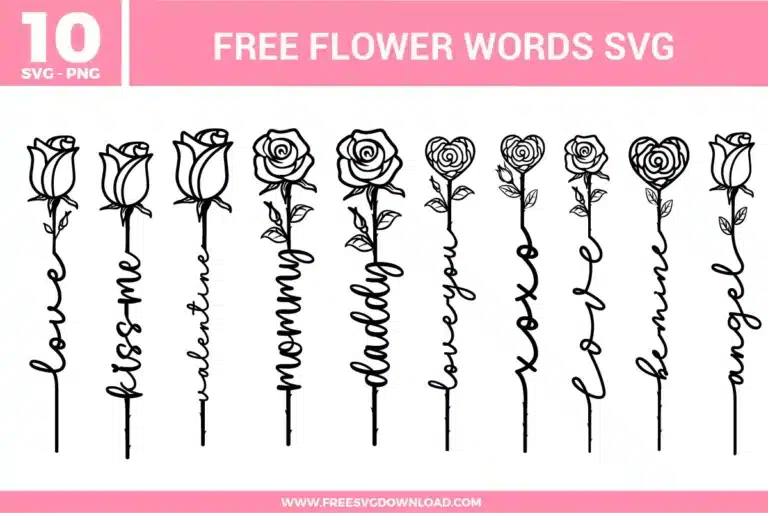
Flower words SVG bundle featuring rose line art designs with words like love, blossom, valentines, mommy, daddy, lovely, xoxo, flower, home, and angel for crafting projects

Collection Technical Data

Total Designs 10 Items (See grid below)
Primary File Type Scalable Vector Graphics (.svg)
Secondary Formats High-Res PNG (300 DPI)
Compatibility Tested Cricut Design Space, Silhouette Studio, Brother ScanNCut
Best For Valentine's Gifts, Mother's Day, Custom Apparel, Delicate Home Decor. (Vinyl & HTV)
License Type Personal Use Only
Cut Complexity Beginner (Easy Weeding)

Download Flower Words SVG Bundle

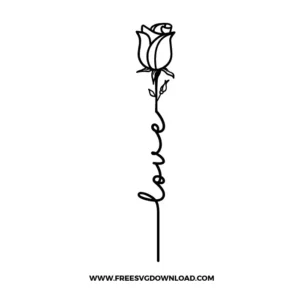
Rose Love

Rose Love

  • Size: 46 KB
  • Format: SVG + PNG (300DPI - Transparent)
  • Layers: 1 Layer
  • License: Personal Use
  • Downloads: 409
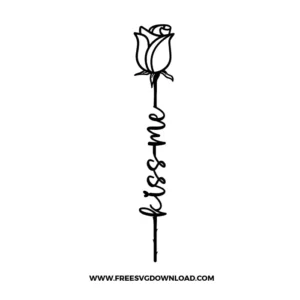
Rose Kiss Me

Rose Kiss Me

  • Size: 51 KB
  • Format: SVG + PNG (300DPI - Transparent)
  • Layers: 1 Layer
  • License: Personal Use
  • Downloads: 131
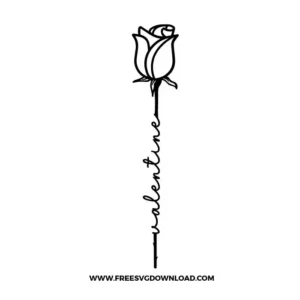
Rose Valentine

Rose Valentine

  • Size: 52 KB
  • Format: SVG + PNG (300DPI - Transparent)
  • Layers: 1 Layer
  • License: Personal Use
  • Downloads: 116
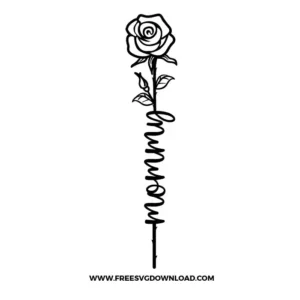
Rose Mommy

Rose Mommy

  • Size: 72 KB
  • Format: SVG + PNG (300DPI - Transparent)
  • Layers: 1 Layer
  • License: Personal Use
  • Downloads: 264
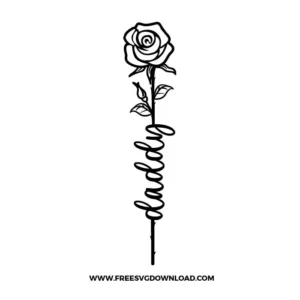
Rose Daddy

Rose Daddy

  • Size: 74 KB
  • Format: SVG + PNG (300DPI - Transparent)
  • Layers: 1 Layer
  • License: Personal Use
  • Downloads: 188
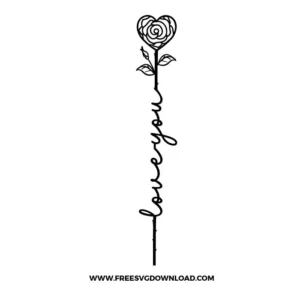
Rose Love You

Rose Love You

  • Size: 59 KB
  • Format: SVG + PNG (300DPI - Transparent)
  • Layers: 1 Layer
  • License: Personal Use
  • Downloads: 181
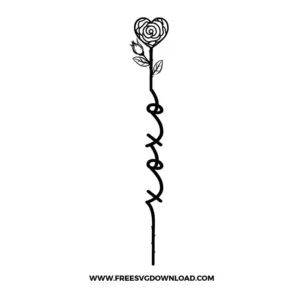
Rose Xoxo

Rose Xoxo

  • Size: 55 KB
  • Format: SVG + PNG (300DPI - Transparent)
  • Layers: 1 Layer
  • License: Personal Use
  • Downloads: 147
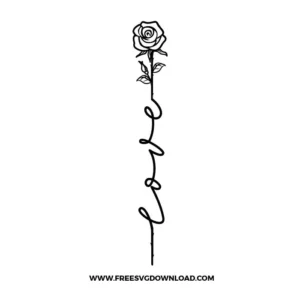
Love Rose

Love Rose

  • Size: 53 KB
  • Format: SVG + PNG (300DPI - Transparent)
  • Layers: 1 Layer
  • License: Personal Use
  • Downloads: 342
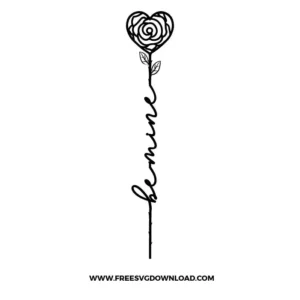
Rose Be Mine

Rose Be Mine

  • Size: 58 KB
  • Format: SVG + PNG (300DPI - Transparent)
  • Layers: 1 Layer
  • License: Personal Use
  • Downloads: 133
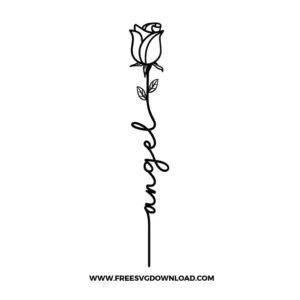
Rose Angel

Rose Angel

  • Size: 52 KB
  • Format: SVG + PNG (300DPI - Transparent)
  • Layers: 1 Layer
  • License: Personal Use
  • Downloads: 325

Package Design Inventory

These Flower Words SVG files are part of our Flower SVG category, where we organize all Floral designs in one place. This category includes a wide range of elegant, sophisticated, and detailed SVG files created for sublimation, card making, and intricate paper crafts.

Bundle Content:

  • Rose Angel SVG: Minimal line-art rose design with the word “angel” written vertically as the stem, combining floral and script typography in a clean style.
  • Rose Be Mine SVG: Elegant rose illustration with “be mine” written along the stem in cursive lettering, designed for romantic and Valentine themed crafts.
  • Rose Love SVG: Simple rose outline with the word “love” integrated into the stem in flowing script, ideal for minimal and modern designs.
  • Rose Xoxo SVG: Rose design featuring “xoxo” written vertically as the stem, combining a romantic message with a delicate floral outline.
  • Rose Love You SVG: Line-art rose with “love you” scripted along the stem, styled for heartfelt gifts and personalized projects.
  • Rose Daddy SVG: Rose illustration with the word “daddy” written vertically as the stem, designed for Father’s Day or personalized gift items.
  • Rose Mommy SVG: Elegant rose line-art design with the word “mommy” written vertically as the stem in cursive script, ideal for Mother’s Day gifts.
  • Rose Valentine SVG: Minimal rose illustration featuring the word “valentine” integrated into the stem in a clean handwritten style.
  • Rose Kiss Me SVG: Simple rose outline with “kiss me” written vertically as the stem, designed for romantic and Valentine themed projects.
  • Rose Love SVG: Classic rose line-art design with the word “love” forming the stem in smooth cursive lettering, suitable for minimal and modern crafts.

You May Also Like

FAQ

How do I adjust blade settings in Cricut for delicate floral script designs?

For detailed designs like the thin cursive stems and small flower components, use the Fine-Point Blade. In the “Set Materials” window, choose “Vinyl” or “Washi Sheet” for a slightly lower pressure. Set your blade pressure to “Less” and speed to “Slow” to ensure the blade follows the intricate curves precisely without tearing the material.

Paths with too many nodes cause the cutting blade to “chatter,” creating jagged edges. The long, continuous lines of the script stems must be smooth. In software like Inkscape, using the “Simplify” tool (Ctrl+L) reduces unnecessary anchor points while maintaining the design’s shape, ensuring your machine can cut smooth, professional curves.

When applying fine HTV script to cotton, use a temperature of 305°F for 10-15 seconds. Ensure even, medium pressure. For delicate designs, allow the project to cool completely before peeling the carrier sheet (“Cold Peel”) to ensure the small letters and thin lines have fully bonded to the fabric.

Node editing is the manual manipulation of an SVG’s anchor points. If a character, like the loop in the ‘y’ of “Mommy,” cuts poorly, you can use the node editing tool in your software to delete or re-smooth specific points. This allows you to slightly thicken a narrow section or fix a sharp corner directly in the file.

For these designs, where the script text connects and flows into the stem, you must use Weld. If you use “Attach,” the machine will cut the lines where the letters overlap. By selecting the flower and the script together and clicking “Weld,” you merge the paths into one continuous shape, ensuring a clean, unbroken cut.

Usage & Support Notice

These Flower Words SVG files are provided for personal use only, and resale or redistribution of the designs is not permitted. You are welcome to explore more free SVG designs across our website, including a wide range of themed and character-based collections.

If you experience any issues with downloading or using the files, feel free to reach out through our contact page and we will be happy to help. We also appreciate feedback from our community, so you’re welcome to leave a review below and share your experience.

For professionally curated bundles and extended design sets, you can also browse our premium SVG collections in our official store. Thank you for crafting with Free SVG Download, and enjoy creating your projects.
Leave a Reply

Your email address will not be published. Required fields are marked *

Free SVG Download