Nativity Scene Free SVG Files

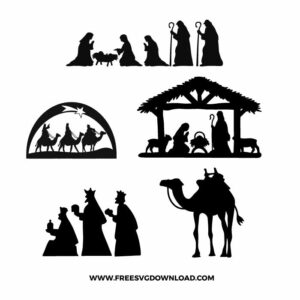
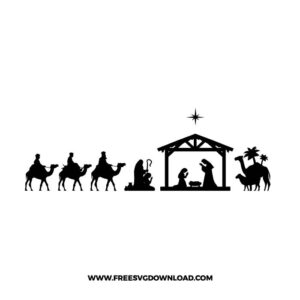
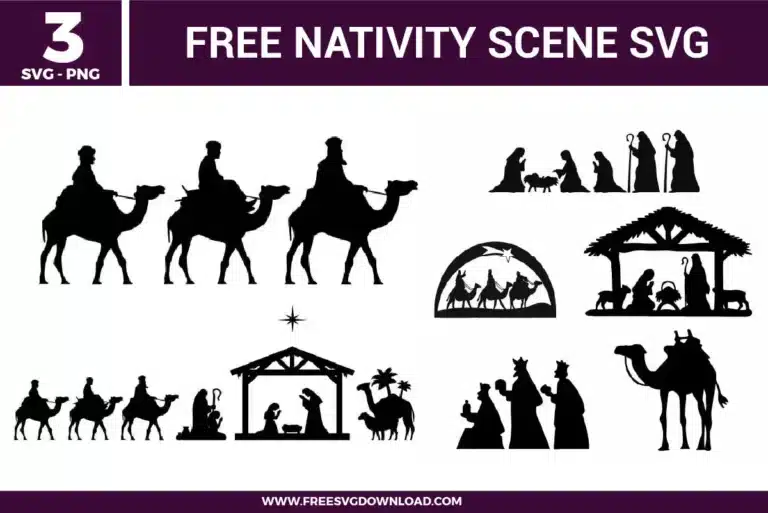
Nativity Scene SVG bundle preview showing three Christian Christmas designs with wise men on camels, baby Jesus manger scene, stable silhouettes, shepherds, animals, star details, and black nativity artwork for Cricut and Silhouette.

Collection Technical Data

Total Designs 3 Items (See grid below)
Primary File Type Scalable Vector Graphics (.svg)
Secondary Formats High-Res PNG (300 DPI)
Compatibility Tested Cricut Design Space, Silhouette Studio, Brother ScanNCut
Best For Christmas Lanterns, Window Decals, Holiday Cards, Wooden Plaques. (Vinyl & HTV)
License Type Personal Use Only
Cut Complexity Beginner (Easy Weeding)

Download Nativity SVG Bundle

Nativity Scene

Nativity Scene

  • Size: 175 KB
  • Format: SVG + PNG (300DPI - Transparent)
  • Layers: 1 Layer
  • License: Personal Use
  • Downloads: 1900
Nativity Silhouette

Nativity Silhouette

  • Size: 67 KB
  • Format: SVG + PNG (300DPI - Transparent)
  • Layers: 1 Layer
  • License: Personal Use
  • Downloads: 1595
3 Kings

3 Kings

  • Size: 56 KB
  • Format: SVG + PNG (300DPI - Transparent)
  • Layers: 1 Layer
  • License: Personal Use
  • Downloads: 502

Package Design Inventory

These Nativity Scene SVG files are part of our Religion SVG category, where we organize faith-themed designs in one place. This category includes a wide range of Christian, nativity-inspired, and scripture-related SVG files created for apparel, stickers, and DIY craft projects. Since this design also fits holiday projects, you may also visit our Christmas SVG category.

Bundle Content:

  • Nativity Scene SVG: A collection of black silhouette nativity elements includes manger scenes, wise men, camels, kneeling figures, and Bethlehem-style compositions arranged as separate religious icons. The single-color format keeps layering simple, while the small figures, animals, and stable details should be sized carefully for clean cutting and smoother weeding. It works well for Christmas shirts, church signs, ornaments, greeting cards, or faith-based holiday decor.
  • Nativity Silhouette SVG: A horizontal nativity scene shows the stable at the center with Mary, Joseph, baby figure, animals, wise men, camels, palm tree details, and a star above the roof. The one-layer silhouette cuts cleanly, while the small figures and thin stable lines benefit from practical sizing for crisp vinyl results. It is a strong choice for Christmas wall signs, ornaments, church projects, cards, or holiday mantel decor.
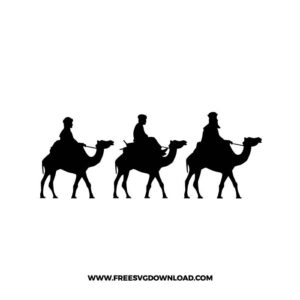
  • 3 Kings SVG: Three wise men ride camels in a clean black silhouette, creating a simple biblical journey layout with strong horizontal movement. The single-color structure makes cutting straightforward, while the camel legs and rider profiles should be sized carefully for smooth weeding. It works well for nativity ornaments, Christmas cards, church crafts, wall decals, or religious holiday gift projects.

You May Also Like

FAQ

The camel silhouettes and tiny star points have complex paths. How can I optimize them to prevent my blade from shaking?

Select the silhouette path and open your software’s node editing tool or use the Simplify function. This deletes redundant anchor points along the smooth curves of the camels and straight lines of the stable, giving your machine a cleaner mathematical path to follow and preventing blade chatter.

Use the Weld tool if the silhouettes physically touch or overlap, as this melts them into one solid continuous vector layer and removes intersecting lines. If they are spaced apart but you want to lock their exact layout placement on the cutting mat, use the Attach tool instead.

Type your text and place it directly over the stable roof silhouette layer. Select both the typography path and the stable vector simultaneously, then click the Slice tool in your layers panel. Delete the cut-out text shards and original text layer to reveal a clean negative space lettering cutout.

Install a sharp fine-point blade and clean out any paper fibers from the housing. Set your material profile to Cardstock for Intricate Cuts, which automatically reduces the machine’s cutting speed and applies a dual-pass cut cycle to ensure sharp corners without tearing the heavy paper.

Set your heat press equipment to 305°F and pre-press the fabric canvas for 5 seconds to expel locked-in moisture. Apply the weeded HTV sheet with firm pressure for 15 seconds, then execute a cold peel if working with a specialized iron-on adhesive that requires cooling to stick cleanly to rough fibers.

Usage & Support Notice

These Nativity SVG files are provided for personal use only, and resale or redistribution of the designs is not permitted. You are welcome to explore more free SVG designs across our website, including a wide range of themed and character-based collections.

If you experience any issues with downloading or using the files, feel free to reach out through our contact page and we will be happy to help. We also appreciate feedback from our community, so you’re welcome to leave a review below and share your experience.

For professionally curated bundles and extended design sets, you can also browse our premium SVG collections in our official store. Thank you for crafting with Free SVG Download, and enjoy creating your projects.
Leave a Reply

Your email address will not be published. Required fields are marked *

Free SVG Download