Collection Technical Data |
|
|---|---|
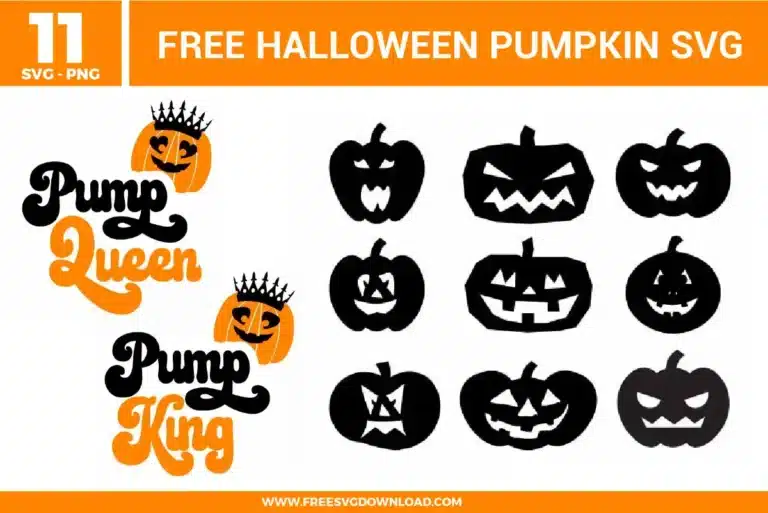
| Total Designs | 11 Items (See grid below) |
| Primary File Type | Scalable Vector Graphics (.svg) |
| Secondary Formats | High-Res PNG (300 DPI) |
| Compatibility Tested | Cricut Design Space, Silhouette Studio, Brother ScanNCut |
| Best For | Pumpkin Decals, Treat Buckets, Halloween Apparel, Party Decor. (Vinyl & HTV) |
| License Type | Personal Use Only |
| Cut Complexity | Intermediate (Multi-Layer) |
These Halloween Pumpkin SVG files are part of our Halloween SVG category, where we organize all Spooky designs in one place. This category includes a wide range of Enchanting, Wicked, and Spectral SVG files created for Custom Apparel, Pumpkin Decals, and Tiered Trays.
Select the design and use the Offset tool set to 0.125 inches. This creates a smooth “bubble” layer around the text and the crown. If you are making stickers, change the offset layer to white and use the “Flatten” tool to merge the layers into a single Print-then-Cut image, which provides a professional die-cut look.
For real pumpkins, use a high-tack Permanent Outdoor Vinyl. Real pumpkins have a waxy, uneven surface that makes standard removable vinyl lift easily. Ensure the pumpkin is clean and dry, then apply the vinyl using a firm squeegee. Note that the acidity of the pumpkin will eventually break down the adhesive, so these are best for short-term holiday display.
For the silhouette faces, you should use the “Attach” tool. This tells the machine to hold the eyes and mouth in their exact relative positions on the cutting mat. If you use “Weld” on a single-color silhouette, it achieves the same result, but “Attach” allows you to easily detach and move the facial features later if you want to customize the expression.
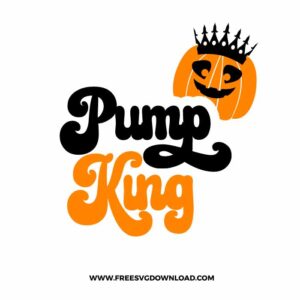
The tiny points on the crown can easily lift off the carrier sheet during standard weeding. Instead, apply your transfer tape to the entire cut design before removing the excess vinyl. Flip it over and peel the paper backing away, then weed the small spaces between the crown spikes while they are securely held by the tape’s adhesive.
If using standard Heat Transfer Vinyl (HTV) on a 100% cotton bag, set your press to 315°F. Apply firm pressure for 15 seconds. If the “Pump King” text has thin lines, let the bag cool for at least 30 seconds before peeling the carrier sheet (Cold Peel) to ensure the adhesive has fully set into the cotton weave.
These Halloween Pumpkin SVG files are provided for personal use only, and resale or redistribution of the designs is not permitted. You are welcome to explore more free SVG designs across our website, including a wide range of themed and character-based collections.
If you experience any issues with downloading or using the files, feel free to reach out through our contact page and we will be happy to help. We also appreciate feedback from our community, so you’re welcome to leave a review below and share your experience.
For professionally curated bundles and extended design sets, you can also browse our premium SVG collections in our official store. Thank you for crafting with Free SVG Download, and enjoy creating your projects.