Home » Starbucks Wrap » Cat Starbucks Free SVG Files
Collection Technical Data |
|
|---|---|
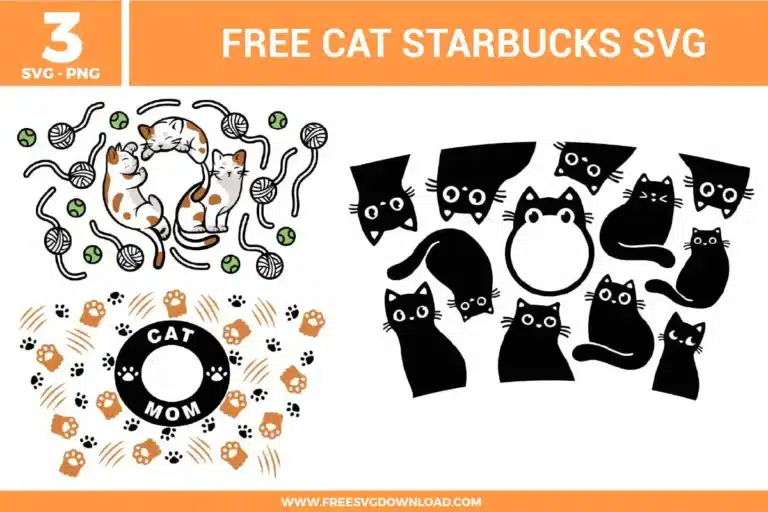
| Total Designs | 3 Items (See grid below) |
| Primary File Type | Scalable Vector Graphics (.svg) |
| Secondary Formats | High-Res PNG (300 DPI) |
| Compatibility Tested | Cricut Design Space, Silhouette Studio, Brother ScanNCut |
| Best For | 24 oz Starbucks Cold Cup Wrap. (Vinyl & HTV) |
| License Type | Personal Use Only |
| Cut Complexity | Intermediate (Multi-Layer) |
These Cat Starbucks SVG files are part of our Animal SVG category, where we organize animal-inspired designs in one place. This category includes a wide range of playful, cute, and decorative SVG files created for drinkware projects, vinyl decals, and DIY craft projects. For drinkware-focused designs, you may also check out our Starbucks Wrap SVG category.
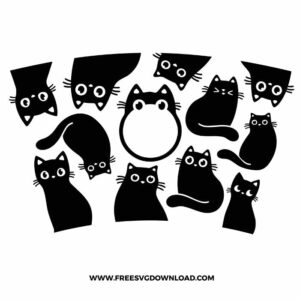
Use the Slice tool in your design software to trim the edges of the wrap. Measure the circumference of your specific cup at the top and bottom, then create a template shape to overlay onto the black cat design. Once aligned, select both and hit Slice to remove the excess vinyl, ensuring a perfect fit for non-standard tumblers.
Since coffee cups are handled and washed frequently, use a high-quality permanent adhesive vinyl. This ensures the fine details, like the cat whiskers and paw prints, stay attached during use. Avoid using removable vinyl, as the moisture from condensation on cold drinks will cause the edges of the cats to lift and peel over time.
You need to use the Attach tool. Select the entire group of black cats or the “Cat Mom” logo and click Attach at the bottom of your layers panel. This locks the position of every cat silhouette relative to the others, so the machine cuts them exactly as you see them on the canvas rather than scrambling them to save material.
Try the center-hinge method. After weeding, apply your transfer tape and peel back only a small vertical strip of the backing from the middle of the wrap. Press the center onto your cup first, then slowly work your way toward the edges, smoothing the vinyl with a felt-edge squeegee to push any trapped air out.
This is likely caused by too many nodes on the paths. Open the path editing menu and select Path Simplification or Simplify. This reduces the number of data points the machine has to process while maintaining the shape of the whiskers, leading to a much smoother, faster cut that won’t tear the vinyl.
These Cat Starbucks Wrap SVG files are provided for personal use only, and resale or redistribution of the designs is not permitted. You are welcome to explore more free SVG designs across our website, including a wide range of themed and character-based collections.
If you experience any issues with downloading or using the files, feel free to reach out through our contact page and we will be happy to help. We also appreciate feedback from our community, so you’re welcome to leave a review below and share your experience.
For professionally curated bundles and extended design sets, you can also browse our premium SVG collections in our official store. Thank you for crafting with Free SVG Download, and enjoy creating your projects.