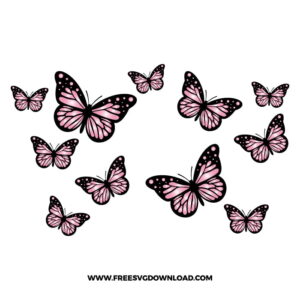
Home » Starbucks Wrap » Butterfly Starbucks Free SVG Files
Collection Technical Data |
|
|---|---|
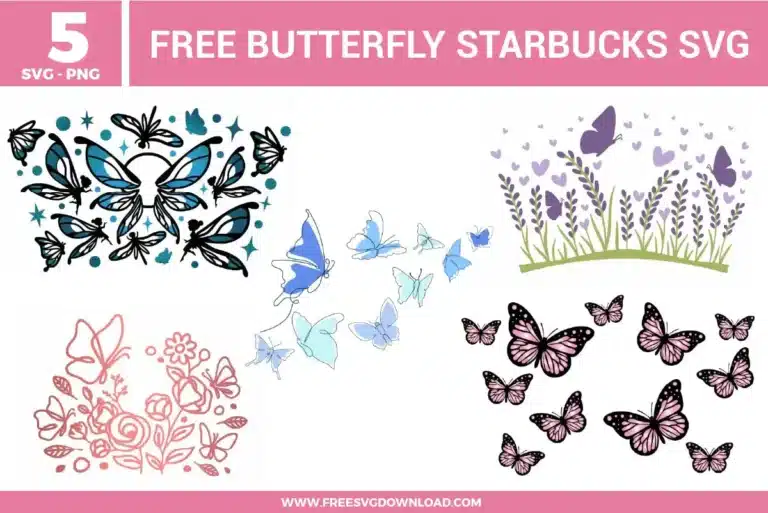
| Total Designs | 5 Items (See grid below) |
| Primary File Type | Scalable Vector Graphics (.svg) |
| Secondary Formats | High-Res PNG (300 DPI) |
| Compatibility Tested | Cricut Design Space, Silhouette Studio, Brother ScanNCut |
| Best For | 24 oz Starbucks Cold Cup Wrap. (Vinyl & HTV) |
| License Type | Personal Use Only |
| Cut Complexity | Intermediate (Multi-Layer) |
These Butterfly Starbucks SVG files are part of our Animal SVG category, where we organize animal-inspired designs in one place. This category includes a wide range of delicate, colorful, and decorative SVG files created for drinkware projects, vinyl decals, and DIY craft projects. For drinkware-focused designs, you may also check out our Starbucks Wrap SVG category.
Use the Path Simplification tool to reduce the node count on thin lines. Too many anchor points cause the blade to change direction too frequently, leading to tears in the vinyl. Simplifying the path creates a smoother, continuous cut line that allows the blade to glide through delicate butterfly details without lifting the material.
Clean the glass with rubbing alcohol first to remove finger oils. Use the “wet method” by lightly spraying the glass with a mixture of water and a single drop of dish soap. This allows you to slide the vinyl wrap into the perfect position and squeegee out the air bubbles for a seamless, wrinkle-free application on curved surfaces.
Yes, if you are using Heat Transfer Vinyl (HTV), you must toggle the mirror setting before cutting. Since HTV is cut from the back side (the adhesive side), failing to mirror will result in the flowers and butterflies facing the wrong direction once they are heat-pressed onto your fabric.
Use the “parchment paper method” for precise layering. Place a sheet of parchment paper over your bottom layer (the stems), leaving just a tiny edge exposed. Position your butterfly layer on top; the parchment prevents it from sticking until you have the alignment perfect. Once positioned, carefully slide the paper out and press the vinyl down.
If your mat has lost its grip, wash it with lukewarm water and a gentle soap to remove dust and debris. If you are in the middle of a project, use small pieces of painter’s tape to secure the corners of your vinyl sheet to the mat. This prevents the material from shifting or lifting during the rapid movements required for detailed butterfly wing patterns.
These Butterfly Starbucks Wrap SVG files are provided for personal use only, and resale or redistribution of the designs is not permitted. You are welcome to explore more free SVG designs across our website, including a wide range of themed and character-based collections.
If you experience any issues with downloading or using the files, feel free to reach out through our contact page and we will be happy to help. We also appreciate feedback from our community, so you’re welcome to leave a review below and share your experience.
For professionally curated bundles and extended design sets, you can also browse our premium SVG collections in our official store. Thank you for crafting with Free SVG Download, and enjoy creating your projects.