Spotify Music Player Free SVG Files

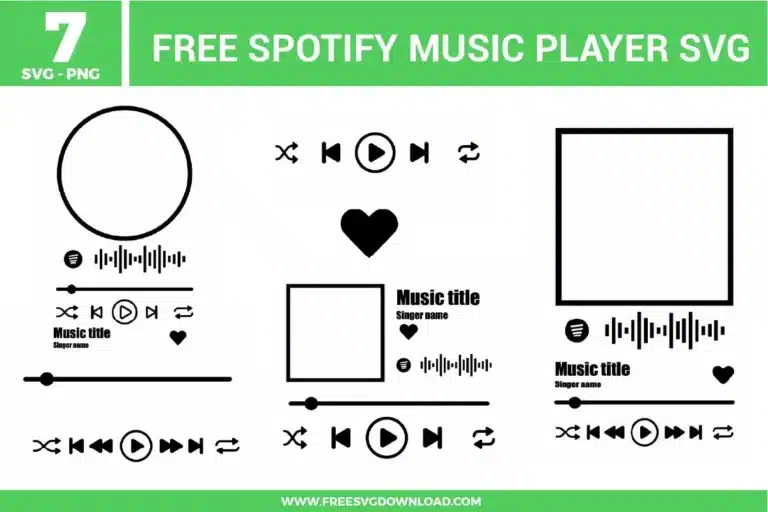
A collection of seven free svg files showcasing sleek minimalist Spotify music player user interface templates. The vector graphic elements include square and circular album artwork frames, scannable audio code soundwaves, track progress timeline sliders with scrubbers, and playback controls such as play, pause, shuffle, skip, and heart buttons rendered in clean solid black lines.

Collection Technical Data

Total Designs 7 Items (See grid below)
Primary File Type Scalable Vector Graphics (.svg)
Secondary Formats High-Res PNG (300 DPI)
Compatibility Tested Cricut Design Space, Silhouette Studio, Brother ScanNCut
Best For Kid Apparel, Birthday Decor, Snack Jars, Nursery Stickers. (Vinyl & HTV)
License Type Personal Use Only
Cut Complexity Beginner (Easy Weeding)

Download Spotify Music Player SVG Bundle

Spotify Like Button

Spotify Like Button

  • Size: 16 KB
  • Format: SVG + PNG (300DPI - Transparent)
  • Layers: 1 Layer
  • License: Personal Use
  • Downloads: 322
Spotify Glass Art

Spotify Glass Art

  • Size: 50 KB
  • Format: SVG + PNG (300DPI - Transparent)
  • Layers: 1 Layer
  • License: Personal Use
  • Downloads: 1794
Spotify Music Player Buttons

Spotify Music Player Buttons

  • Size: 28 KB
  • Format: SVG + PNG (300DPI - Transparent)
  • Layers: 1 Layer
  • License: Personal Use
  • Downloads: 1100
Music Player Bar

Music Player Bar

  • Size: 4 KB
  • Format: SVG + PNG (300DPI - Transparent)
  • Layers: 1 Layer
  • License: Personal Use
  • Downloads: 435
Music Player Buttons

Music Player Buttons

  • Size: 25 KB
  • Format: SVG + PNG (300DPI - Transparent)
  • Layers: 1 Layer
  • License: Personal Use
  • Downloads: 391
Round Music Player

Round Music Player

  • Size: 65 KB
  • Format: SVG + PNG (300DPI - Transparent)
  • Layers: 1 Layer
  • License: Personal Use
  • Downloads: 782
Spotify Music Player

Spotify Music Player

  • Size: 35 KB
  • Format: SVG + PNG (300DPI - Transparent)
  • Layers: 1 Layer
  • License: Personal Use
  • Downloads: 3615

Package Design Inventory

These Spotify Music Player SVG files are part of our Music SVG category, where we organize music-themed designs in one place. This category includes a wide range of player-style, audio-inspired, and decorative SVG files created for apparel, stickers, and DIY craft projects.

Bundle Content:

  • Spotify Like Button SVG: A solid black heart icon is centered in a simple one-color layout, creating a clean music-inspired favorite button shape with strong readability. The bold silhouette cuts quickly and weeds easily, making it useful for small vinyl, sticker, or paper projects. It works well for music decals, phone stickers, playlist gifts, scrapbook accents, or custom glass art.
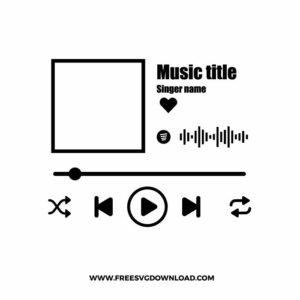
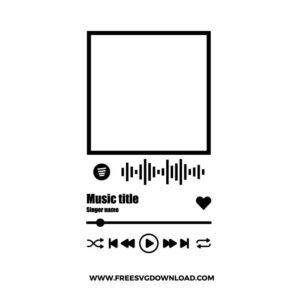
  • Spotify Glass Art SVG: A square album cover placeholder is paired with music title text, singer name text, a heart icon, audio wave detail, progress bar, and player controls for a personalized music display layout. The single-color structure keeps layering simple, while the small controls, text, and waveform should be sized carefully for clean cutting and smoother weeding. It works well for acrylic glass art, music plaques, anniversary gifts, wall decor, or custom song display projects.
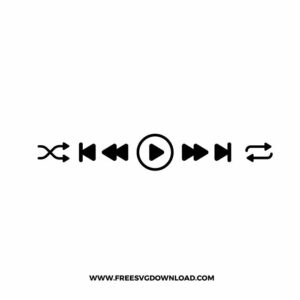
  • Spotify Music Player Buttons SVG: A horizontal row of music player icons includes shuffle, previous, play, next, and repeat controls in a clean minimal layout. The one-color format cuts quickly, while the small arrows and button details need practical sizing for crisp vinyl results. It is a good fit for playlist decals, phone stickers, glass art projects, scrapbook pages, or music-themed labels.
  • Music Player Bar SVG: A simple progress bar uses a long horizontal line with a round slider dot positioned near the left side, creating a clean audio playback detail. The single-color structure is easy to cut and weed, while the minimal shape makes it useful as a supporting element in custom music designs. It works well for Spotify-style plaques, playlist gifts, wall art, decals, or scrapbook accents.
  • Music Player Buttons SVG: A compact row of playback controls includes shuffle, previous, rewind, play, fast-forward, next, and repeat icons for a complete music interface layout. The one-layer design keeps assembly simple, while the small icon shapes should be sized carefully for smooth weeding. It works especially well for acrylic song plaques, music stickers, custom tumblers, phone decals, or playlist-themed craft projects.
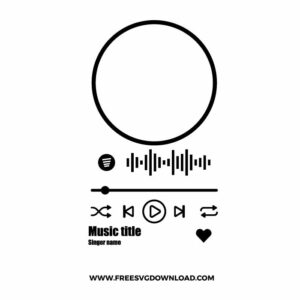
  • Round Music Player SVG: A circular album placeholder sits above a waveform, progress bar, playback controls, music title text, singer name text, and a heart icon for a clean personalized song display. The black outline layout keeps color work minimal, while the fine waveform, text, and control details benefit from practical sizing for clean cuts. It is a strong choice for round acrylic plaques, music gifts, wall decals, stickers, or custom glass art.
  • Spotify Music Player SVG: A square album cover placeholder is stacked above a waveform, music title text, singer name text, heart icon, progress bar, and playback controls for a full custom song plaque layout. The single-color structure makes cutting straightforward, while the small typography and player icons should be sized carefully for cleaner weeding. It works well for anniversary gifts, acrylic glass art, playlist displays, framed prints, or music-themed decals.

You May Also Like

FAQ

How do I insert my own custom photo inside the square album artwork frame in Cricut Design Space?

Import your custom picture into Design Space and size it to overlap the frame canvas. Position the photo layer directly behind the SVG template, select both the frame vector and your image, and click the Slice tool. Delete the excess outer image scraps to leave your photo cleanly cropped inside the frame window, then select all layers and click Flatten to prepare it for a Print Then Cut project.

Intricate vertical lines require excellent blade control. Swap in a fresh premium fine-point blade, reduce your machine’s cutting speed setting down to 1 or 2, and use a custom material profile like “Premium Vinyl” or “Intricate Cardstock.” This configuration forces the machine to cut slowly and cleanly, which keeps the narrow soundwave lines from dragging or bunching up.

Avoid high-tack transfer tape because its strong adhesive stretches delicate line vectors during application. Instead, use a standard-tack or light-tack clear tape. Burnish the tape firmly over the interface from the center outward, flip the entire graphic face down, and carefully peel the slick paper backing flat away from the transfer tape at a sharp 180-degree angle.

Select the entire playback control icon group in your software canvas and click the Attach tool. Do not use Weld for this specific task, as Weld permanently fuses intersecting properties into a single path. Using Attach locks the independent vector shapes into their exact spatial arrangement so they do not scramble on your physical cutting mat.

Select the entire music player interface layout and open the software’s Offset tool. Adjust the exterior distance slider to create a continuous outer border layer (roughly 0.05 to 0.12 inches). Check the box to weld the offset paths together, producing a single solid backing shape that can be cut out of a contrasting opaque material.

Usage & Support Notice

These Spotify Music Player SVG files are provided for personal use only, and resale or redistribution of the designs is not permitted. You are welcome to explore more free SVG designs across our website, including a wide range of themed and character-based collections.

If you experience any issues with downloading or using the files, feel free to reach out through our contact page and we will be happy to help. We also appreciate feedback from our community, so you’re welcome to leave a review below and share your experience.

For professionally curated bundles and extended design sets, you can also browse our premium SVG collections in our official store. Thank you for crafting with Free SVG Download, and enjoy creating your projects.

Leave a Reply

Your email address will not be published. Required fields are marked *

Free SVG Download