Crayon Free SVG Files

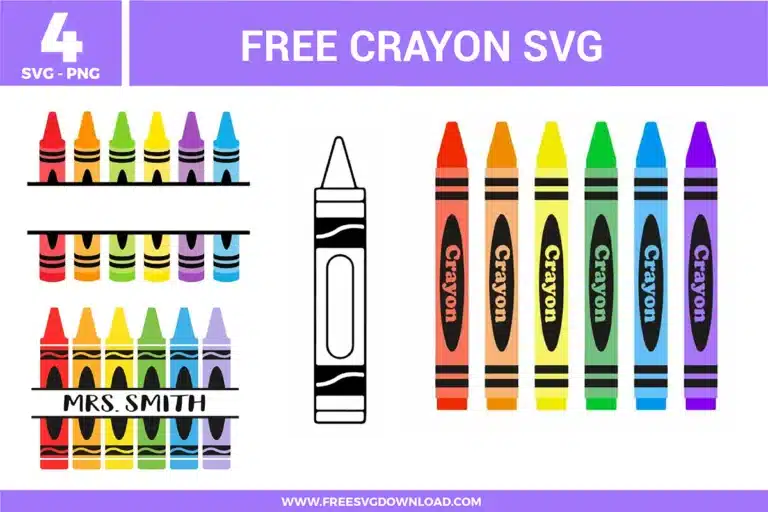
A diverse collection of free svg files featuring crayons in a vibrant rainbow palette. This bundle includes split monogram frames for teacher names, a vertical row of multi-colored crayons with text labels, and a clean black and white outline version ideal for printable coloring activities and classroom organization.

Collection Technical Data

Total Designs 4 Items (See grid below)
Primary File Type Scalable Vector Graphics (.svg)
Secondary Formats High-Res PNG (300 DPI)
Compatibility Tested Cricut Design Space, Silhouette Studio, Brother ScanNCut
Best For Kid Apparel, Birthday Decor, Snack Jars, Nursery Stickers. (Vinyl & HTV)
License Type Personal Use Only
Cut Complexity Intermediate (Multi-Layer)

Download Crayon SVG Bundle

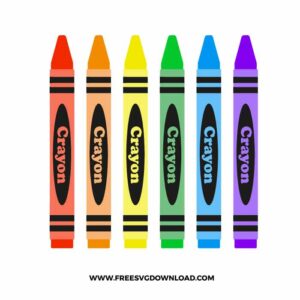
Crayons

Crayons

  • Size: 192 KB
  • Format: SVG + PNG (300DPI - Transparent)
  • Layers: 7 Layers (Color Separated)
  • License: Personal Use
  • Downloads: 507
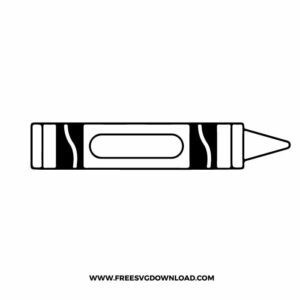
Crayon Outline

Crayon Outline

  • Size: 29 KB
  • Format: SVG + PNG (300DPI - Transparent)
  • Layers: 1 Layer
  • License: Personal Use
  • Downloads: 593
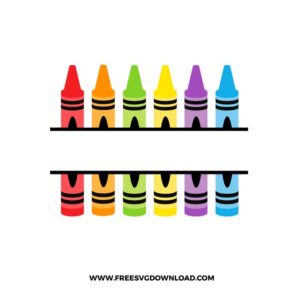
Crayons Monogram

Crayons Monogram

  • Size: 129 KB
  • Format: SVG + PNG (300DPI - Transparent)
  • Layers: 7 Layers (Color Separated)
  • License: Personal Use
  • Downloads: 1067
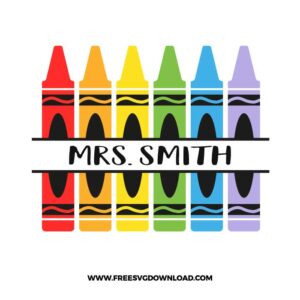
Crayon Split Monogram

Crayon Split Monogram

  • Size: 117 KB
  • Format: SVG + PNG (300DPI - Transparent)
  • Layers: 7 Layers (Color Separated)
  • License: Personal Use
  • Downloads: 3130

Package Design Inventory

These Crayon SVG files are part of our School SVG category, where we organize classroom and education-themed designs in one place. This category includes a wide range of colorful, playful, and decorative SVG files created for teacher projects, classroom decor, and DIY craft projects.

Bundle Content:

  • Crayons SVG: Set of six upright crayons in red, orange, yellow, green, blue, and purple, each with black wrapper details and arranged side by side in a straight vertical lineup.
  • Crayon Outline SVG: Simple black outline crayon drawing in a horizontal layout with a pointed tip, wrapper bands, and an oval label area centered on the body.
  • Crayons Monogram SVG: Six colorful crayons split into top and bottom halves with two horizontal bands across the center, creating an open middle space for a monogram or name.
  • Crayon Split Monogram SVG: Vertical row of colorful crayons with a white horizontal name band cutting across the center, framed by thin black lines and shown with sample text in the middle.

You May Also Like

FAQ

How do I make the crayon label "Crayon" a different color from the rest of the wax body?

Open the design in your software and select the Crayon layer. Use the ‘Ungroup’ or ‘Break Apart’ feature. This will separate the text nodes from the main shape, allowing you to select just the letters and assign them a new color or move them to a different cutting layer.

Select the entire crayon design and use the ‘Flatten’ tool (in Cricut) or change the line type to ‘Print’ (in Silhouette). This merges the different color layers into a single image that your printer can handle, followed by a precise ‘Print Then Cut’ around the outer edge.

Your blade might be dull or have a tiny piece of debris stuck in the housing. Try the “foil ball” trick: poke your blade into a ball of aluminum foil several times to clean and hone the tip. Also, ensure your ‘Force’ setting is not too high for the paper weight you are using.

Select the object and use the ‘Simplify’ or ‘Path’ tool to reduce the number of nodes. When you enlarge a small file, the existing points can become more apparent; reducing the node count smoothens the transitions between points for a cleaner, professional cut.

Since you are layering multiple colors of heat transfer material, use the ‘tack’ method. Press the bottom layer at 305°F for only 2-3 seconds. Repeat for each layer, and only perform a full 15-second press once the final top layer is in place to avoid shrinking the fabric.

Usage & Support Notice

These Crayon SVG files are provided for personal use only, and resale or redistribution of the designs is not permitted. You are welcome to explore more free SVG designs across our website, including a wide range of themed and character-based collections.

If you experience any issues with downloading or using the files, feel free to reach out through our contact page and we will be happy to help. We also appreciate feedback from our community, so you’re welcome to leave a review below and share your experience.

For professionally curated bundles and extended design sets, you can also browse our premium SVG collections in our official store. Thank you for crafting with Free SVG Download, and enjoy creating your projects.
Leave a Reply

Your email address will not be published. Required fields are marked *

Free SVG Download