Snowflake Free SVG Files

29 intricate winter designs from the Snowflake SVG bundle, available as free svg files for holiday DIY crafts.

Collection Technical Data

Total Designs 4 Items (See grid below)
Primary File Type Scalable Vector Graphics (.svg)
Secondary Formats High-Res PNG (300 DPI)
Compatibility Tested Cricut Design Space, Silhouette Studio, Brother ScanNCut
Best For Window Clings, Greeting Cards, Glass Etching, Vinyl Decals. (Vinyl & HTV)
License Type Personal Use Only
Cut Complexity Intermediate (Multi-Layer)

Download Snowflake SVG Bundle

Christmas Snowflake Bundle

Christmas Snowflake Bundle

  • Size: 538 KB
  • Format: SVG + PNG (300DPI - Transparent)
  • Layers: 1 Layer
  • License: Personal Use
  • Downloads: 1258
Snowflakes Monogram

Snowflakes Monogram

  • Size: 91 KB
  • Format: SVG + PNG (300DPI - Transparent)
  • Layers: 1 Layer
  • License: Personal Use
  • Downloads: 302
Winter Snowflake Bundle

Winter Snowflake Bundle

  • Size: 240 KB
  • Format: SVG + PNG (300DPI - Transparent)
  • Layers: 1 Layer
  • License: Personal Use
  • Downloads: 2542
Snowflake Outline

Snowflake Outline

  • Size: 92 KB
  • Format: SVG + PNG (300DPI - Transparent)
  • Layers: 1 Layer
  • License: Personal Use
  • Downloads: 790

Package Design Inventory

These Snowflake SVG files are part of our Christmas Category, where we organize all holiday designs in one place. This category includes a wide range of enchanting, whimsical, and bold SVG files created for paper crafts, sublimation, and vinyl decals.

Bundle Content:

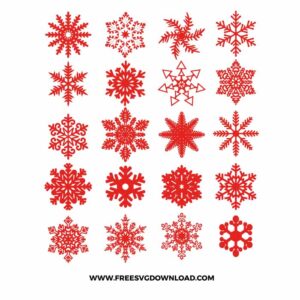
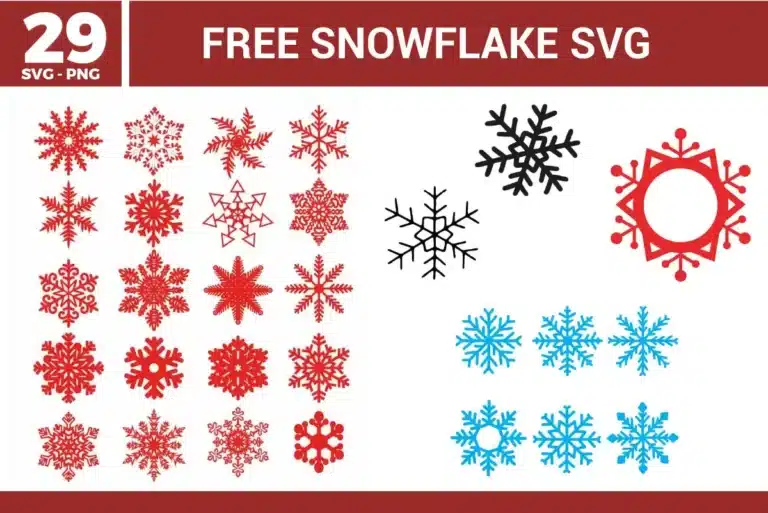
  • Christmas Snowflake Bundle SVG: A collection of red snowflakes is arranged in a neat grid, with each shape using a different mix of pointed branches, circular details, geometric centers, and decorative cutout patterns. The single-color layout keeps layering simple, while the varied line weights and detailed edges make the set useful for both bold cuts and more intricate winter craft projects. It works well for ornaments, gift tags, window decals, or Christmas scrapbook accents.
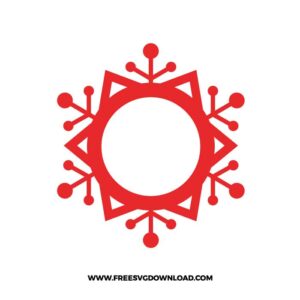
  • Snowflakes Monogram SVG: A large snowflake-style frame surrounds a round center opening, using pointed geometric arms, dot tips, and branch accents to create a strong personalized winter layout. The open middle keeps initials or short names easy to place, while the bold red structure helps support cleaner cutting and more manageable weeding. It is a good fit for custom ornaments, holiday shirts, mugs, or winter name labels.
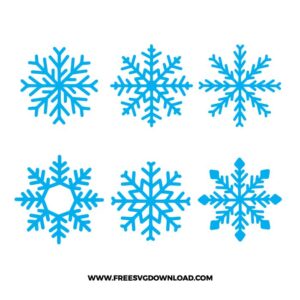
  • Winter Snowflake Bundle SVG: A set of blue snowflakes is arranged in two rows, with each design showing a different branch structure, center detail, and outer shape for a varied winter collection. The single-color format makes cutting straightforward, though the thinner branch tips benefit from proper sizing and a sharp blade for crisp results. It works especially well for winter cards, decals, scrapbook pages, or seasonal party decor.
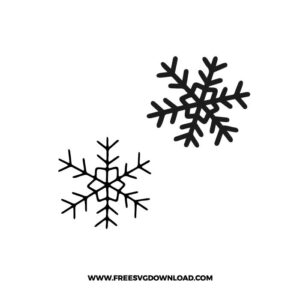
  • Snowflake Outline SVG: Two black snowflake outlines are placed diagonally, combining one thinner branch style with one bolder rounded branch style for a simple winter accent pair. The single-color line art keeps the file easy to use, while the clean open structure supports smooth cutting and quick weeding at practical sizes. It is a nice choice for minimalist holiday cards, window decals, or winter shirt details.

You May Also Like

FAQ

How do I simplify these snowflakes to prevent my machine from stuttering on the small cuts?

Use the Simplify or Path Reduction tool in your software. This reduces the number of anchor points (nodes) in the intricate snowflake arms without changing the shape. Fewer nodes mean your machine can process the cutting path more smoothly and quickly.

Use Frosted Etch Vinyl or Glass Etching Cream with a stencil. For a temporary seasonal look, 631 Removable Matte White Vinyl works perfectly. If you want a permanent etched appearance that is dishwasher safe, use a vinyl stencil and apply etching cream for 2 to 5 minutes.

Type your text and center it over the snowflake frame. Select both the text and the snowflake, then use the ‘Slice’ or ‘Subtract’ tool. This cuts the letters out of the center, creating a professional integrated design ready for single-color cutting.

Set your machine to ‘Premium Vinyl’ with ‘More’ pressure. Because of the tiny geometric details, it is crucial to use a clean, sharp blade. If the vinyl is lifting, decrease the cutting speed to 2 or 3 to allow the blade to navigate the tight corners.

Select your snowflake and apply a 0.10 inch ‘Offset’ to create a background bubble. Change the offset layer to white and the snowflake to your desired color. Select both layers and click ‘Flatten’ to convert them into a single-layer Print then Cut sticker.

Usage & Support Notice

These Snowflake SVG files are provided for personal use only, and resale or redistribution of the designs is not permitted. You are welcome to explore more free SVG designs across our website, including a wide range of themed and character-based collections.

If you experience any issues with downloading or using the files, feel free to reach out through our contact page and we will be happy to help. We also appreciate feedback from our community, so you’re welcome to leave a review below and share your experience.

For professionally curated bundles and extended design sets, you can also browse our premium SVG collections in our official store. Thank you for crafting with Free SVG Download, and enjoy creating your projects.
Leave a Reply

Your email address will not be published. Required fields are marked *

Free SVG Download