Roblox Free SVG Files

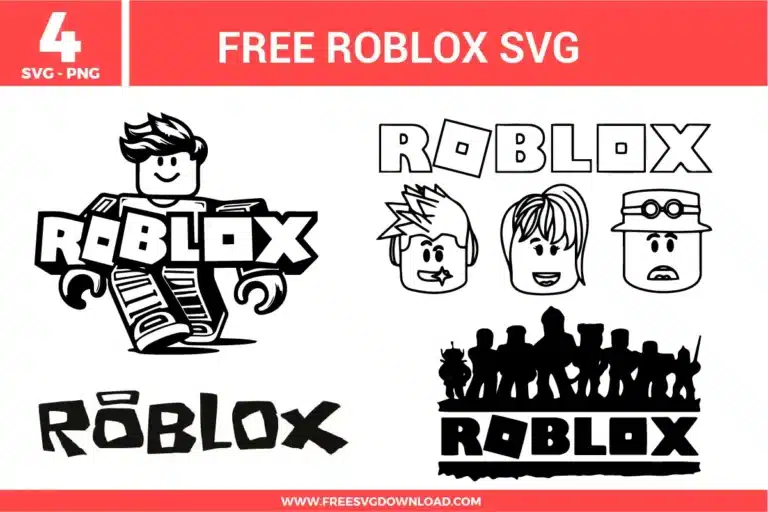
Collection of blocky character silhouettes and iconic logos from the Roblox SVG bundle, featuring black line art designs as free svg files for gaming fans.

Collection Technical Data

Total Designs 4 Items (See grid below)
Primary File Type Scalable Vector Graphics (.svg)
Secondary Formats High-Res PNG (300 DPI)
Compatibility Tested Cricut Design Space, Silhouette Studio, Brother ScanNCut
Best For Birthday Favors, Laptop Skins, Gamer Apparel, Room Decor. (Vinyl & HTV)
License Type Personal Use Only
Cut Complexity Intermediate (Multi-Layer)

Download Roblox SVG Bundle

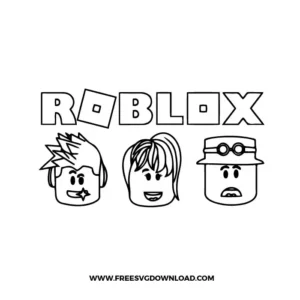
Roblox Avatar Faces

Roblox Avatar Faces

  • Size: 139 KB
  • Format: SVG + PNG (300DPI - Transparent)
  • Layers: 1 Layer
  • License: Personal Use
  • Downloads: 932
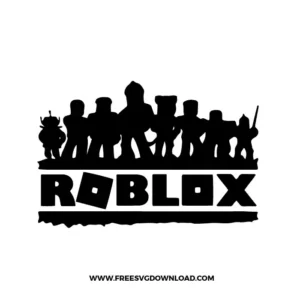
Roblox Characters Silhouette

Roblox Characters Silhouette

  • Size: 79 KB
  • Format: SVG + PNG (300DPI - Transparent)
  • Layers: 1 Layer
  • License: Personal Use
  • Downloads: 1089
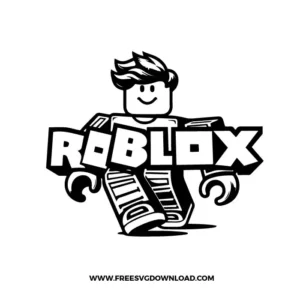
Roblox Player

Roblox Player

  • Size: 140 KB
  • Format: SVG + PNG (300DPI - Transparent)
  • Layers: 2 Layers (Color Separated)
  • License: Personal Use
  • Downloads: 1653
Roblox Logo

Roblox Logo

  • Size: 39 KB
  • Format: SVG + PNG (300DPI - Transparent)
  • Layers: 1 Layer
  • License: Personal Use
  • Downloads: 2023

Package Design Inventory

These Roblox SVG files are part of our Gaming SVG category, where we organize all character designs in one place. This category includes a wide range of bold, nostalgic, and vibrant SVG files created for vinyl decals, heat transfer projects, and paper crafts.

Bundle Content:

  • Roblox Avatar Faces SVG: Three block-style avatar heads sit beneath outlined game lettering, each with a different hairstyle, accessory, and facial expression for a simple character-face layout. The black outline structure keeps layering minimal, while the bold geometric shapes and open facial details support clean cutting and manageable weeding. It works well for gaming party shirts, stickers, birthday decorations, mugs, or scrapbook pages.
  • Roblox Characters Silhouette SVG: A row of varied block-style character silhouettes stands above bold game lettering, creating a high-contrast lineup composition with strong horizontal balance. The single-color format makes cutting straightforward, while the character edges, small accessories, and text details should be sized carefully for cleaner weeding. It is a strong choice for gamer shirts, party signs, cake toppers, wall decals, or kids’ room decor.
  • Roblox Player SVG: A smiling block-style character stands behind bold logo-style lettering, with striped legs, large hands, and a playful tilted pose adding movement to the layout. The black-and-white design keeps assembly simple, while the thick outlines and large letter shapes help produce crisp cuts for vinyl or paper projects. It works especially well for birthday shirts, gaming decals, mugs, party favors, or room signs.
  • Roblox Logo SVG: Chunky block lettering is arranged in a clean horizontal wordmark style, using uneven playful letter shapes and a tilted square detail for a recognizable gaming-inspired look. The mostly single-color structure cuts quickly and weeds easily, making it practical for fast vinyl or cardstock projects. It works well for gamer shirts, stickers, party banners, mugs, or scrapbook accents.

You May Also Like

FAQ

How do I simplify the nodes on the blocky Roblox logo for a faster cut?

Open the Path menu and select ‘Simplify’ or ‘Reduce Nodes.’ This removes redundant points on the straight edges of the blocky text, which prevents your machine from hesitating at every corner and results in much smoother, faster cut lines.

Use a Premium Fine Point Blade with the ‘Vinyl’ or ‘Washi’ setting. For the small facial details, set your pressure to ‘More.’ Ensuring your blade is clean of debris will prevent the tiny eye and mouth pieces from snagging and lifting off the mat.

Select the silhouette group and click ‘Weld’ or ‘Unite.’ This merges the individual character paths into one single layer, ensuring the machine doesn’t cut into the overlapping areas. ‘Attach’ only holds their position, but ‘Weld’ creates a seamless piece of vinyl.

Select the character and apply a 0.08-inch ‘Offset.’ Change the color of the new outer layer to white. If you are making physical stickers, select both the character and the offset, then click ‘Flatten’ to prepare the file for a Print Then Cut operation.

Use ‘Reverse Weeding.’ Apply transfer tape to the entire design before you pull away any excess vinyl. Flip the mat over and peel the backing away from the vinyl. This keeps the sharp corners of the blocky font perfectly anchored to the tape.

Usage & Support Notice

These Roblox SVG files are provided for personal use only, and resale or redistribution of the designs is not permitted. You are welcome to explore more free SVG designs across our website, including a wide range of themed and character-based collections.

If you experience any issues with downloading or using the files, feel free to reach out through our contact page and we will be happy to help. We also appreciate feedback from our community, so you’re welcome to leave a review below and share your experience.

For professionally curated bundles and extended design sets, you can also browse our premium SVG collections in our official store. Thank you for crafting with Free SVG Download, and enjoy creating your projects.
Leave a Reply

Your email address will not be published. Required fields are marked *

Free SVG Download