Pinocchio Free SVG Files

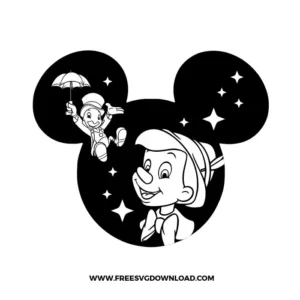
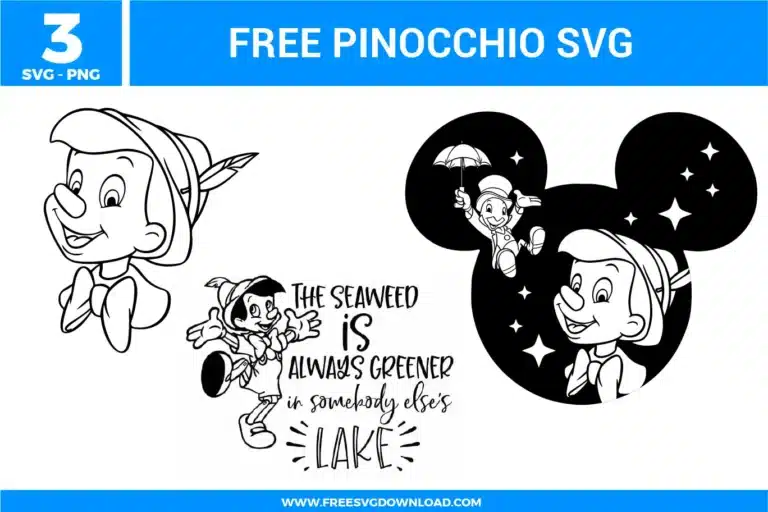
Free Pinocchio SVG designs showing classic Pinocchio character line art, playful quotes, and Mickey shaped silhouette elements with star details

Collection Technical Data

Total Designs 3 Items (See grid below)
Primary File Type Scalable Vector Graphics (.svg)
Secondary Formats High-Res PNG (300 DPI)
Compatibility Tested Cricut Design Space, Silhouette Studio, Brother ScanNCut
Best For Apparel, Storybook Crafts, Tote Bags, Decals. (Vinyl & HTV)
License Type Personal Use Only
Cut Complexity Beginner (Easy Weeding)

Download Pinocchio SVG Bundle

Pinocchio Mickey Head

Pinocchio Mickey Head

  • Size: 179 KB
  • Format: SVG + PNG (300DPI - Transparent)
  • Layers: 1 Layer
  • License: Personal Use
  • Downloads: 295
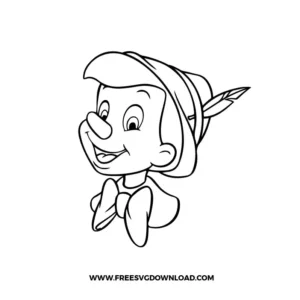
Pinocchio

Pinocchio

  • Size: 144 KB
  • Format: SVG + PNG (300DPI - Transparent)
  • Layers: 1 Layer
  • License: Personal Use
  • Downloads: 225
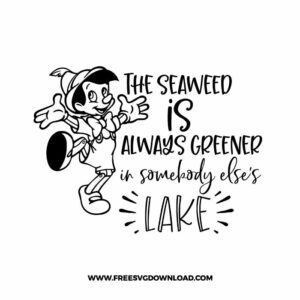
Pinocchio The Seaweed

Pinocchio The Seaweed

  • Size: 273 KB
  • Format: SVG + PNG (300DPI - Transparent)
  • Layers: 1 Layer
  • License: Personal Use
  • Downloads: 305

Package Design Inventory

These Pinocchio SVG files are part of our Disney SVG category, where we organize all Disney designs in one place. This category includes a wide range of character-based, classic, and detailed SVG files featuring Mickey, Minnie, Disney Princesses, and Pixar characters, created for apparel projects, personalized accessories, and creative crafts.

Bundle Content:

  • Pinocchio The Seaweed SVG This design combines a small Pinocchio figure with stacked quote-style text, giving it a poster-like layout. Because the lettering is the main detail, it works best when you keep it medium-to-large so the thinner strokes stay crisp after cutting.
  • Pinocchio Mickey Head SVG: A Mickey head silhouette frame holds Pinocchio’s portrait, with small accent elements inside the ears for a themed, storybook feel. The large outer shape keeps it readable at smaller sizes, while the inner details look sharp when you scale it up for shirts, signs, or tote bags.
  • Pinocchio SVG: This is a clean outline-style Pinocchio portrait with open space and smooth facial lines. It’s the best choice when you want a simple cut that weeds fast, or when you’re layering the design over patterned materials without losing the character shape.

You May Also Like

FAQ

The quote-style Pinocchio SVG has small lettering. How do I keep the letters from filling in or tearing when weeding?

Treat this one like a “bigger is safer” design. Keep the quote-style layout at a medium-to-large size so letter gaps stay open, especially inside rounded characters. If your first cut looks tight, slightly increase the size and use slower cutting for cleaner corners. Weed the text slowly and in short sections, pulling the vinyl back over itself rather than straight up so thin strokes stay attached.

Use the Pinocchio Outline Portrait SVG. It has open space and fewer tiny interior islands, so it stays readable when scaled down. The Mickey head scene can also work small, but the inner accents can start to merge if you shrink it too far. The quote-style design is the least friendly for tiny sticker sizes because the text becomes the weak point.

Keep that design as a single centerpiece and avoid placing it right on the tightest curve area. Curves can pull small accents apart visually, especially near the edges of the graphic. If you’re applying it to a cup, place it so the center of the Mickey head sits on the flattest viewing area and let the edges wrap slightly. Press from the center outward and spend extra time burnishing the ear details so small shapes don’t lift later.

Pick one design as the main focal point and use the second as a small companion element. For example, place the Mickey head scene large on the front of a tote, then add the outline portrait small near the bottom corner or near a strap area. Avoid pairing the quote-style design with another complex graphic on the same surface since both compete for attention. If you want both, put the quote-style file on the back side and keep the front clean.

Start with the outline portrait and give it margin around all sides so it looks intentional and airy. Center it on the surface and keep any extra text minimal, placed underneath with plenty of spacing. If you want a framed feel without heavy fill, the Mickey head scene works too, but scale it so the silhouette reads as a gentle frame rather than a bold block.

Usage & Support Notice

These Pinocchio SVG files are provided for personal use only, and resale or redistribution of the designs is not permitted. You are welcome to explore more free SVG designs across our website, including a wide range of themed and character-based collections.

If you experience any issues with downloading or using the files, feel free to reach out through our contact page and we will be happy to help. We also appreciate feedback from our community, so you’re welcome to leave a review below and share your experience.

For professionally curated bundles and extended design sets, you can also browse our premium SVG collections in our official store. Thank you for crafting with Free SVG Download, and enjoy creating your projects.
Leave a Reply

Your email address will not be published. Required fields are marked *

Free SVG Download