Minecraft Free SVG Files

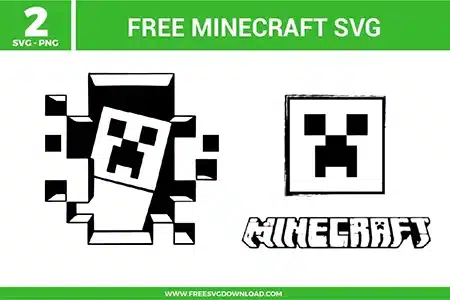
Iconic pixelated character from the Minecraft Creeper SVG bundle, provided as free svg files for gamer-themed DIY projects.

Collection Technical Data

Total Designs 2 Items (See grid below)
Primary File Type Scalable Vector Graphics (.svg)
Secondary Formats High-Res PNG (300 DPI)
Compatibility Tested Cricut Design Space, Silhouette Studio, Brother ScanNCut
Best For Gamer Shirts, Laptop Skins, Bedroom Decor, Party Favors. (Vinyl & HTV)
License Type Personal Use Only
Cut Complexity Beginner (Easy Weeding)

Download Minecraft SVG Bundle

Minecraft Creeper

Minecraft Creeper

  • Size: 59 KB
  • Format: SVG + PNG (300DPI - Transparent)
  • Layers: 2 Layers (Color Separated)
  • License: Personal Use
  • Downloads: 2752
Minecraft Creeper Logo

Minecraft Creeper Logo

  • Size: 96 KB
  • Format: SVG + PNG (300DPI - Transparent)
  • Layers: 1 Layer
  • License: Personal Use
  • Downloads: 4932

Package Design Inventory

These Minecraft SVG files are part of our Gaming SVG category, where we organize all character designs in one place. This category includes a wide range of gritty, pixelated, and blocky SVG files created for vinyl decals, heat transfer projects, and paper crafts.

Bundle Content:

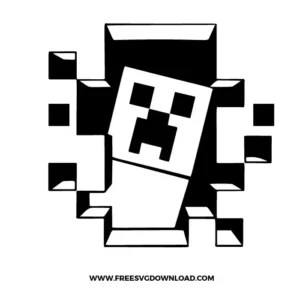
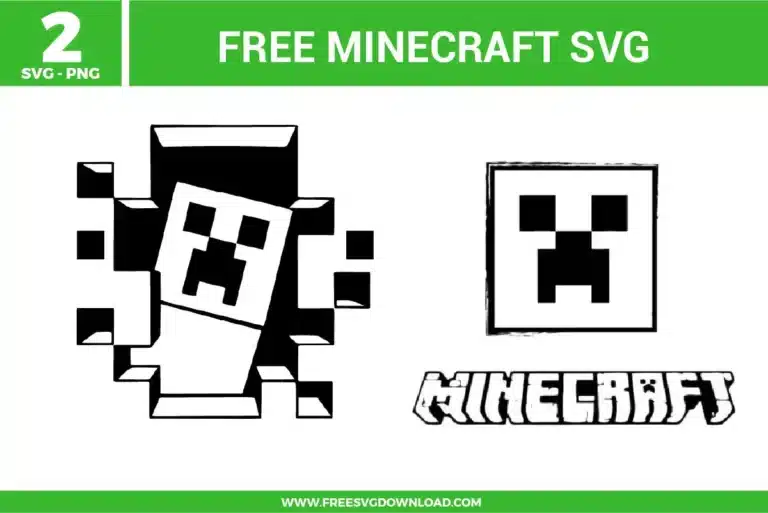
  • Minecraft Creeper SVG: A blocky pixel-style character bursts through a cracked square wall, with small cube fragments surrounding the face for a bold gaming action layout. The black-and-white structure keeps layering simple, while the straight edges and large geometric cuts make weeding easier for vinyl or paper projects. It works well for gamer shirts, birthday party signs, stickers, cake toppers, or kids’ room decals.
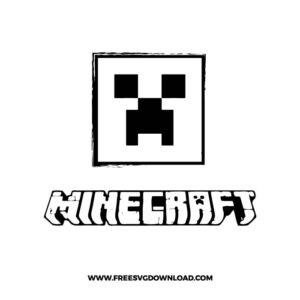
  • Minecraft Creeper Logo SVG: A square pixel face sits above chunky game-style lettering, creating a clean logo-inspired layout with strong symmetry and high contrast. The simple geometric face and bold text shapes support crisp cutting, while the mostly single-color design keeps assembly straightforward for crafters. It is a good fit for gaming party decorations, shirts, mugs, stickers, or scrapbook pages.

You May Also Like

FAQ

How do I manage the small pixelated squares during the weeding process?

To keep the individual pixel blocks from lifting, use a high-tack transfer tape and the Reverse Weeding method. Apply the tape to the entire uncut design first, burnish well, and then remove the vinyl backing. This ensures even the smallest square corners stay perfectly aligned.

Use a Deep Point Blade with the ‘Cardstock (For Intricate Cuts)’ setting. Ensure your mat is clean and sticky. If the blade struggles with the sharp right angles of the pixel art, toggle on the ‘Double Cut’ option to ensure a clean release without tearing the paper fibers.

Place the Creeper face over your solid block shape in your software. Select both layers and click the Slice tool. Delete the resulting middle pieces to create a hollowed-out stencil effect. This allows the color of your wall to show through the eyes and mouth.

To avoid a thick, bulky feel, use the ‘Knockout’ method. Use the Slice tool to cut the black face details out of the green body layer. This allows both colors to sit directly on the fabric, resulting in a professional finish that won’t crack or peel after washing.

Set your heat press to 275°F. Polyester is heat-sensitive, so using a lower temperature with a Teflon sheet prevents the fabric from scorching. Press for 10-12 seconds with firm pressure and perform a ‘Cold Peel’ for the best adhesive bond.

Usage & Support Notice

These Minecraft SVG files are provided for personal use only, and resale or redistribution of the designs is not permitted. You are welcome to explore more free SVG designs across our website, including a wide range of themed and character-based collections.

If you experience any issues with downloading or using the files, feel free to reach out through our contact page and we will be happy to help. We also appreciate feedback from our community, so you’re welcome to leave a review below and share your experience.

For professionally curated bundles and extended design sets, you can also browse our premium SVG collections in our official store. Thank you for crafting with Free SVG Download, and enjoy creating your projects.
Leave a Reply

Your email address will not be published. Required fields are marked *

Free SVG Download