Mickey Head Sunglass Free SVG Files

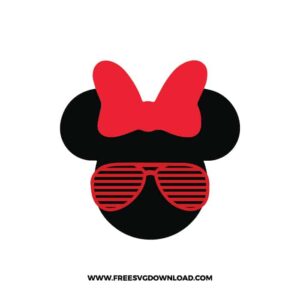
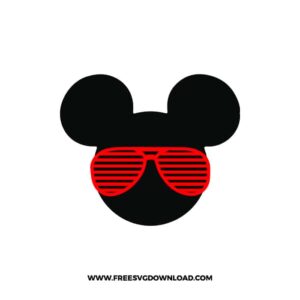
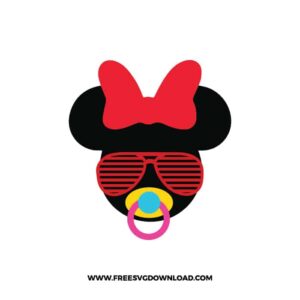
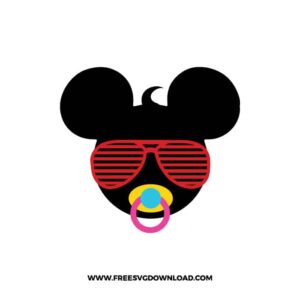
Free Mickey head sunglass SVG designs showing Mickey and Minnie silhouettes with shutter sunglasses, bows, pacifiers, and playful character details

Collection Technical Data

Total Designs 6 Items (See grid below)
Primary File Type Scalable Vector Graphics (.svg)
Secondary Formats High-Res PNG (300 DPI)
Compatibility Tested Cricut Design Space, Silhouette Studio, Brother ScanNCut
Best For Trendy Apparel, Summer Outfits, Party Looks, Custom Gifts. (Vinyl & HTV)
License Type Personal Use Only
Cut Complexity Intermediate (Multi-Layer)

Download Mickey Head Sunglass SVG Bundle

Minnie Sunglasses Cricut

Minnie Sunglasses Cricut

  • Size: 23 KB
  • Format: SVG + PNG (300DPI - Transparent)
  • Layers: 3 Layers (Color Separated)
  • License: Personal Use
  • Downloads: 214
Minnie Sunglasses

Minnie Sunglasses

  • Size: 18 KB
  • Format: SVG + PNG (300DPI - Transparent)
  • Layers: 2 Layers (Color Separated)
  • License: Personal Use
  • Downloads: 280
Mickey Sunglasses Cricut

Mickey Sunglasses Cricut

  • Size: 10 KB
  • Format: SVG + PNG (300DPI - Transparent)
  • Layers: 2 Layers (Color Separated)
  • License: Personal Use
  • Downloads: 234
Mickey Sunglasses

Mickey Sunglasses

  • Size: 11 KB
  • Format: SVG + PNG (300DPI - Transparent)
  • Layers: 2 Layers (Color Separated)
  • License: Personal Use
  • Downloads: 257
Baby Minnie Sunglasses

Baby Minnie Sunglasses

  • Size: 18 KB
  • Format: SVG + PNG (300DPI - Transparent)
  • Layers: 5 Layers (Color Separated)
  • License: Personal Use
  • Downloads: 212
Baby Mickey Sunglasses

Baby Mickey Sunglasses

  • Size: 16 KB
  • Format: SVG + PNG (300DPI - Transparent)
  • Layers: 5 Layers (Color Separated)
  • License: Personal Use
  • Downloads: 212

Package Design Inventory

These Mickey Head Sunglass SVG files are part of our Disney SVG category, where we organize all Mickey, Minnie, Disney Princesses, Pixar characters, and more in one place. This category includes a wide range of stylish, modern, and playful SVG files created for trendy apparel, accessories, and custom gifts.

Bundle Content:

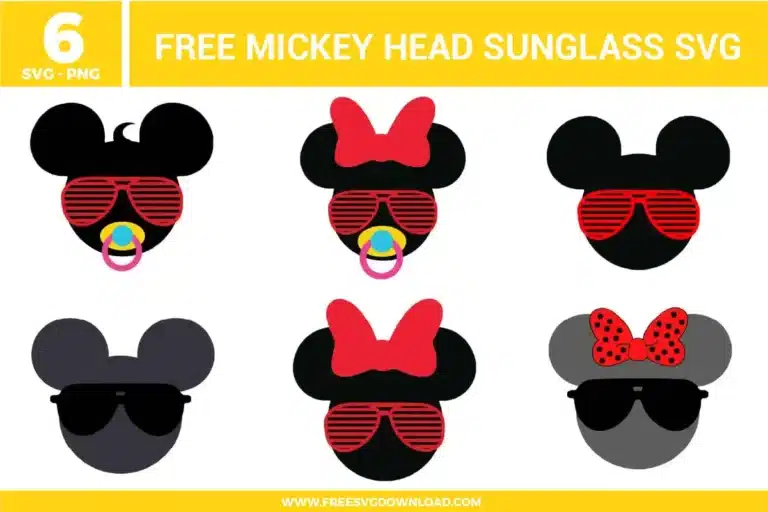
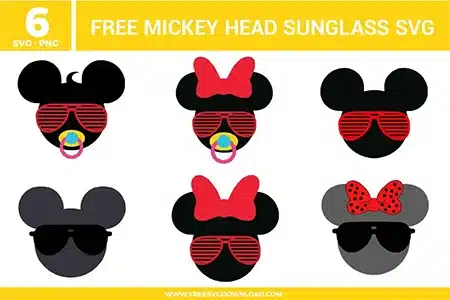
  • Minnie Sunglasses Cricut SVG: This design uses a soft gray Minnie silhouette with oversized black sunglasses and a classic red bow detail. The clean color blocks make it a strong choice when you want a Minnie sunglasses SVG that still reads clearly from a few feet away.
  • Minnie Sunglasses SVG: This version keeps the Minnie head solid black and adds red shutter-style sunglasses with a matching red bow. The bold contrast helps when you’re building matching sets and want the Minnie piece to stand out on dark or bright backgrounds.
  • Mickey Sunglasses Cricut SVG: A gray Mickey head silhouette paired with chunky black sunglasses for a simple, sporty look. Since the shapes are wide and open, it stays easy to cut and weed at common decal sizes.
  • Mickey Sunglasses SVG: This Mickey sunglasses SVG swaps in red shutter shades for a louder summer vibe while keeping the base silhouette clean. It’s a good option when you want color detail without adding small interior pieces that slow down cutting.
  • Baby Minnie Sunglasses SVG: A baby Minnie head with red shutter shades, a bright pacifier accent, and a bow detail that makes it clearly “Minnie.” The added pacifier shape gives you a clear family-role design that pairs naturally with the adult Minnie and Mickey versions.
  • Baby Mickey Sunglasses SVG: A baby Mickey head with the same red shutter shades style and a pacifier detail for a coordinated family set. The baby element is readable even when scaled down, as long as you keep enough spacing around the pacifier area.

You May Also Like

FAQ

Which sunglasses style is safer for smaller cuts, solid lenses or shutter shades?

Solid lens sunglasses usually hold up better at small sizes because they don’t rely on thin gaps between bars. Shutter shades can still work, but they often need a bit more size so the spacing stays open.

Use the same version style across everyone, then swap only the character: Mickey, Minnie, baby Mickey, baby Minnie. Keeping the same placement and silhouette height is what makes the set look coordinated.

Check the preview at your final size and make sure the pacifier circle still reads as an open shape. If it looks cramped or starts closing up, scale up slightly before cutting.

Avoid seams, thick folds, and zipper areas where the material bends and can visually break the sunglasses lines or bow edges. A flat front panel usually gives the cleanest result.

Leave a little margin around the top of the head so the bow edge isn’t pressed against other elements. If you’re resizing down, keep the Minnie version slightly larger than the Mickey version to preserve the bow shape.

Usage & Support Notice

These Mickey Head Sunglass SVG files are provided for personal use only, and resale or redistribution of the designs is not permitted. You are welcome to explore more free SVG designs across our website, including a wide range of themed and character-based collections.

If you experience any issues with downloading or using the files, feel free to reach out through our contact page and we will be happy to help. We also appreciate feedback from our community, so you’re welcome to leave a review below and share your experience.

For professionally curated bundles and extended design sets, you can also browse our premium SVG collections in our official store. Thank you for crafting with Free SVG Download, and enjoy creating your projects.
Leave a Reply

Your email address will not be published. Required fields are marked *

Free SVG Download