Elf On The Shelf Free SVG Files

Elf On The Shelf Free SVG Files
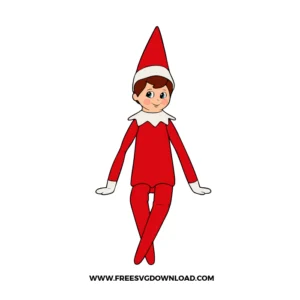
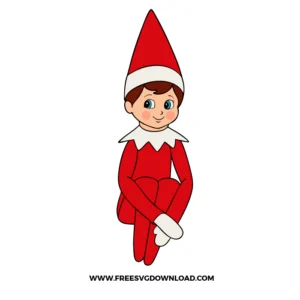
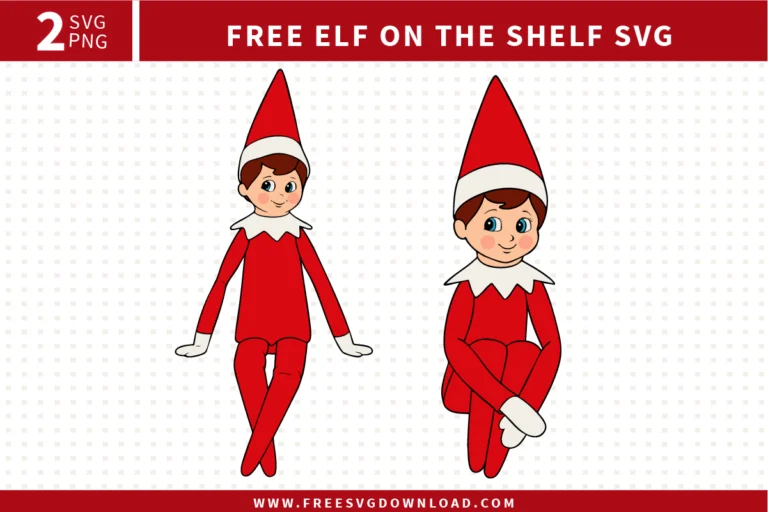
Two cute Christmas characters in red suits from the Elf on the Shelf SVG bundle, provided as free svg files for holiday DIY projects.

Collection Technical Data

Total Designs 2 Items (See grid below)
Primary File Type Scalable Vector Graphics (.svg)
Secondary Formats High-Res PNG (300 DPI)
Compatibility Tested Cricut Design Space, Silhouette Studio, Brother ScanNCut
Best For Christmas Pajamas, Toddler Tees, Holiday Stationery, Acrylic Ornaments. (Vinyl & HTV)
License Type Personal Use Only
Cut Complexity Intermediate (Multi-Layer)

Download Elf On The Shelf SVG Bundle

Elf On The Shelf

Elf On The Shelf

  • Size: 95 KB
  • Format: SVG + PNG (300DPI - Transparent)
  • Layers: 7 Layers (Color Separated)
  • License: Personal Use
  • Downloads: 244
Elf On The Shelf Christmas

Elf On The Shelf Christmas

  • Size: 96 KB
  • Format: SVG + PNG (300DPI - Transparent)
  • Layers: 7 Layers (Color Separated)
  • License: Personal Use
  • Downloads: 299

Package Design Inventory

These Elf On The Shelf SVG files are part of our Christmas SVG Category, where we organize all holiday designs in one place. This category includes a wide range of whimsical, nostalgic, and vibrant SVG files created for vinyl decals, heat transfer projects, and tiered trays.

Bundle Content:

  • Elf On The Shelf SVG: Front-facing Christmas elf in a bright red outfit with a tall pointed hat, white collar and gloves, seated upright with crossed legs and a small smiling face.
  • Elf On The Shelf Christmas SVG: Front-facing Christmas elf in a red suit and pointed hat, seated with knees bent up and arms wrapped around the legs, finished with a white collar, gloves, and a cheerful expression.

You May Also Like

FAQ

How do I prevent the tiny white collar details from lifting during weeding?

Use the Reverse Weeding method. Apply your transfer tape to the entire uncut vinyl sheet first, then burnish and peel the backing away. This keeps the intricate collar points stuck to the tape while you pull the excess vinyl away.

Glitter HTV is thicker than standard vinyl. Set your Cricut to ‘Glitter Vinyl’ and ensure your blade is clean. If the blade is older, increase the pressure to ‘More’ to ensure a clean cut through the textured surface.

Yes, but you should use the ‘Simplify’ tool in your software first to reduce the number of nodes. This prevents the cutting machine from stuttering on tiny paths, resulting in a much smoother cut at small scales.

For standard heat transfer vinyl on 100% cotton, set your press to 305°F. Apply firm pressure for 15 seconds. If you are using a household iron, use the ‘Cotton’ setting with no steam and press down heavily.

This is often caused by ‘heat shrink’ where the fabric or vinyl contracts slightly after the first press. To avoid this, press the first layer for only 2-3 seconds (just enough to tack it down), then align the second layer and do the full 15-second press.

Usage & Support Notice

These Elf On The Shelf SVG files are provided for personal use only, and resale or redistribution of the designs is not permitted. You are welcome to explore more free SVG designs across our website, including a wide range of themed and character-based collections.

If you experience any issues with downloading or using the files, feel free to reach out through our contact page and we will be happy to help. We also appreciate feedback from our community, so you’re welcome to leave a review below and share your experience.

For professionally curated bundles and extended design sets, you can also browse our premium SVG collections in our official store. Thank you for crafting with Free SVG Download, and enjoy creating your projects.
Leave a Reply

Your email address will not be published. Required fields are marked *

Free SVG Download