Candy Cane Free SVG Files

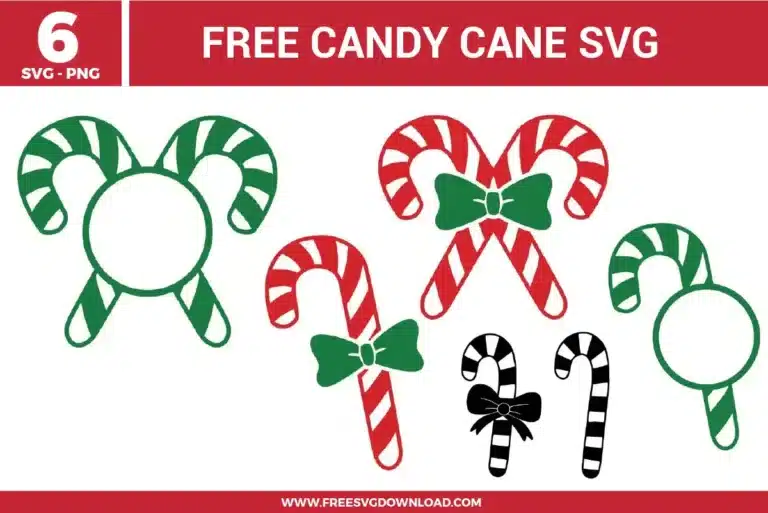
Multiple striped treats from the Candy Cane SVG bundle including monogram frames, provided as free svg files for holiday labels.

Collection Technical Data

Total Designs 5 Items (See grid below)
Primary File Type Scalable Vector Graphics (.svg)
Secondary Formats High-Res PNG (300 DPI)
Compatibility Tested Cricut Design Space, Silhouette Studio, Brother ScanNCut
Best For Monogram Frames, Pantry Labels, Kitchen Towels, Holiday Stickers. (Vinyl & HTV)
License Type Personal Use Only
Cut Complexity Beginner (Easy Weeding)

Download Candy Cane SVG Bundle

Candy Cane Monogram

Candy Cane Monogram

  • Size: 59 KB
  • Format: SVG + PNG (300DPI - Transparent)
  • Layers: 2 Layers (Color Separated)
  • License: Personal Use
  • Downloads: 102
Candy Cane Bow

Candy Cane Bow

  • Size: 65 KB
  • Format: SVG + PNG (300DPI - Transparent)
  • Layers: 3 Layers (Color Separated)
  • License: Personal Use
  • Downloads: 642
Christmas Candy Canes Frame

Christmas Candy Canes Frame

  • Size: 98 KB
  • Format: SVG + PNG (300DPI - Transparent)
  • Layers: 2 Layers (Color Separated)
  • License: Personal Use
  • Downloads: 223
Christmas Candy Cane Bow

Christmas Candy Cane Bow

  • Size: 98 KB
  • Format: SVG + PNG (300DPI - Transparent)
  • Layers: 3 Layers (Color Separated)
  • License: Personal Use
  • Downloads: 621
Candy Cane Silhouette

Candy Cane Silhouette

  • Size: 69 KB
  • Format: SVG + PNG (300DPI - Transparent)
  • Layers: 2 Layers (Color Separated)
  • License: Personal Use
  • Downloads: 655

Package Design Inventory

These Candy Cane SVG files are part of our Christmas SVG category, where we organize all holiday designs in one place. This category includes a wide range of vibrant, festive, and playful SVG files created for vinyl decals, heat transfer, and scrapbooking.

Bundle Content:

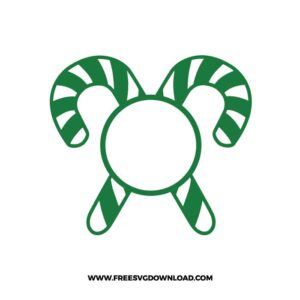
  • Candy Cane Monogram SVG: A striped green candy cane is paired with a round monogram frame, creating a simple vertical layout with a clear open space for an initial or short name. The bold outline and wide stripe sections make cutting clean and layering easy, while the circular center helps keep personalization neatly aligned. It works well for custom ornaments, Christmas mugs, gift tags, or holiday shirt designs.
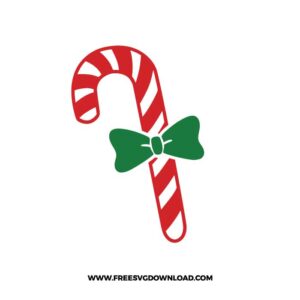
  • Candy Cane Bow SVG: A red striped candy cane is decorated with a green bow at the center, giving the design a compact holiday candy layout with strong color contrast. The large bow pieces and open stripe sections make layering straightforward, while the clean curved shape helps reduce difficult weeding. It is a good fit for Christmas cards, treat bags, mugs, or festive kitchen towel designs.
  • Christmas Candy Canes Frame SVG: Two green striped candy canes curve around a round center frame, forming a symmetrical personalized layout with a clear circular opening. The simple stripe pattern and bold frame shape support smooth cutting and organized layering for vinyl or paper projects. It works especially well for ornaments, name labels, holiday mugs, or kids’ Christmas shirts.
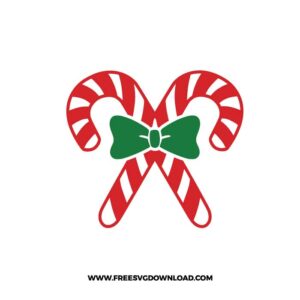
  • Christmas Candy Cane Bow SVG: Two crossed red candy canes are tied with a green bow in the center, creating a balanced festive composition with a classic holiday candy look. The separated red, white, and green areas make layering predictable, while the broad curves and bow shapes help keep weeding manageable. It is a strong choice for Christmas shirts, mugs, gift packaging, or holiday sign accents.
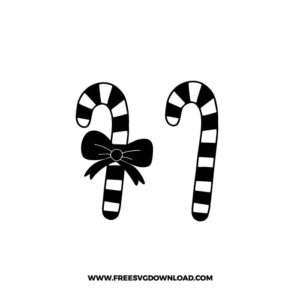
  • Candy Cane Silhouette SVG: Two black candy cane styles are shown side by side, including one with a bow and one plain striped cane, giving the set a clean single-color holiday look. The bold silhouette format cuts quickly and avoids complex layering, while the stripe openings add detail without making the design too difficult to weed. It works well for decals, ornaments, gift tags, cards, or minimalist Christmas apparel.

You May Also Like

FAQ

How do I align the red and green stripes perfectly?

Add small squares (registration marks) at the top of your design in your software before cutting. When you layer the vinyl, align the squares first; this ensures the stripes are perfectly positioned without gaps.

Glitter HTV is excellent for towels because it is thicker and hides the texture of the fabric weave better than smooth vinyl. Set your press to 320°F and use firm pressure for 15 seconds.

In your software, select the design and use the ‘Offset’ tool to create a white border. Select both layers and use ‘Flatten.’ This converts the SVG into a ‘Print Then Cut’ file compatible with sticker paper.

Type your name and place it over the center circle. Select the text and the candy cane frame, then use the ‘Slice’ tool. This cuts the name out of the frame for a professional, integrated look.

If you are using high-glitter or holographic vinyl for the red stripes, the metallic flakes act as an abrasive. Keep a dedicated ‘Deep Point Blade’ specifically for specialty glitters to save your fine-point blades.

Usage & Support Notice

These Candy Cane SVG files are provided for personal use only, and resale or redistribution of the designs is not permitted. You are welcome to explore more free SVG designs across our website, including a wide range of themed and character-based collections.

If you experience any issues with downloading or using the files, feel free to reach out through our contact page and we will be happy to help. We also appreciate feedback from our community, so you’re welcome to leave a review below and share your experience.

For professionally curated bundles and extended design sets, you can also browse our premium SVG collections in our official store. Thank you for crafting with Free SVG Download, and enjoy creating your projects.
Leave a Reply

Your email address will not be published. Required fields are marked *

Free SVG Download